Shell Scripting for DevOps

1Q. Explain in your own words and examples, what is Shell Scripting for DevOps.
Ans. Shell Scripting for DevOps is like a gateway between humans and the Kernel. It involves the use of scripting language such as bash, to automate various automation tasks involved in DevOps Lifecycle. DevOps practionors write shell scripting that can automate repetitive tasks, deployment processes, manage infrastructure and system administration tasks.
2Q. What is #!/bin/bash? Can we write #!/bin/sh as well?
Ans. The line "#!/bin/bash" is called a shebang or hashbang. It is the first line in a shell script and specifies the interpreter that should be used to execute the script. Bash (Bourne Again SHell) is a popular and feature-rich shell that is commonly used on Unix-like systems, including Linux.
It provides additional functionality compared to the basic Bourne shell (/bin/sh), such as improved command-line editing, job control, and advanced scripting capabilities. However, it is also possible to write "#!/bin/sh" as the shebang line. The "/bin/sh" path refers to the system's default shell, which may or may not be Bash. On most Unix-like systems, including Linux, "/bin/sh" is typically a symbolic link or a small POSIX-compliant shell like Dash or Bourne shell. Writing "#!/bin/sh" allows the script to be executed by the system's default shell, which may or may not provide the advanced features and extensions available in Bash. This can be useful when writing scripts that need to be portable across different systems, ensuring compatibility with the standard shell features.
3Q. Write a Shell Script which prints, "I will complete 90DaysOfDevOps Challenge!"
Ans: touch demo.sh
vi demo.sh
chmod +x demo.sh
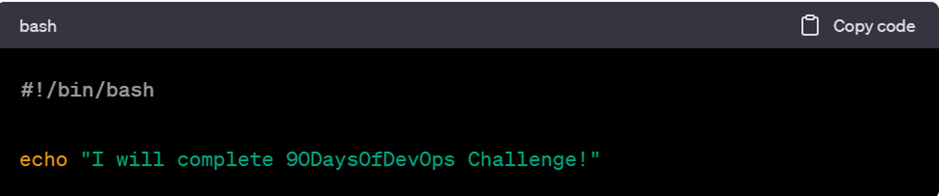
./demo.sh

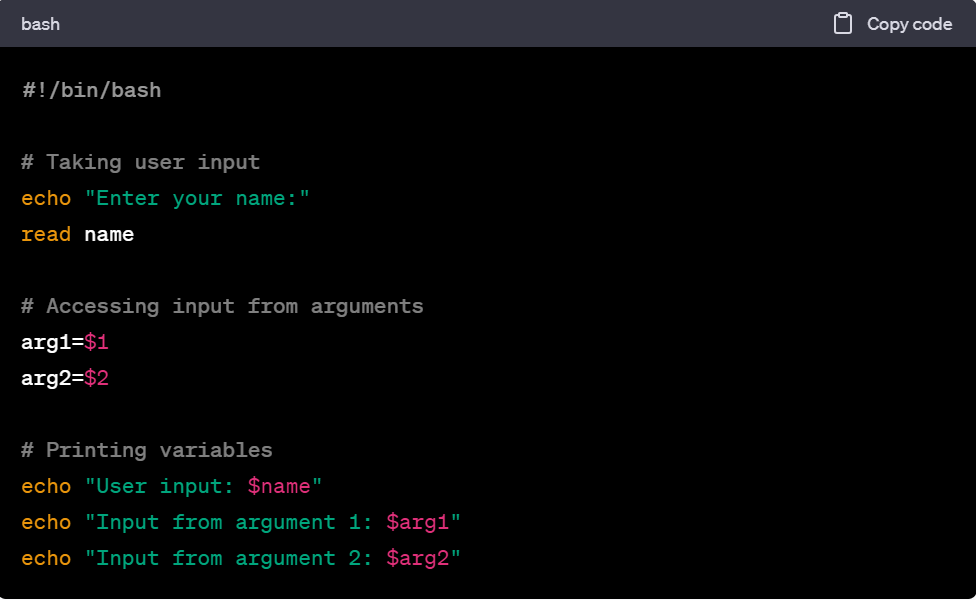
4Q. Write a Shell Script to take user input, input from arguments and print the variables.
Ans. touch scripts.sh
chmod +x scripts.sh
vi scripts.sh
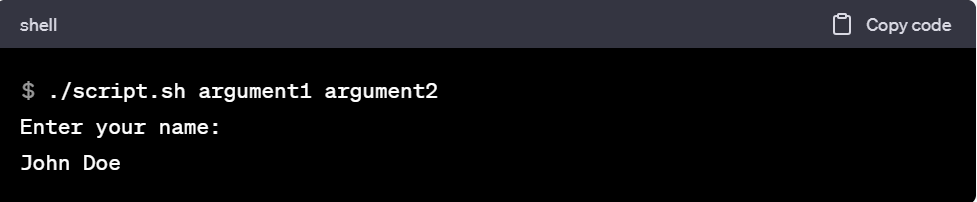
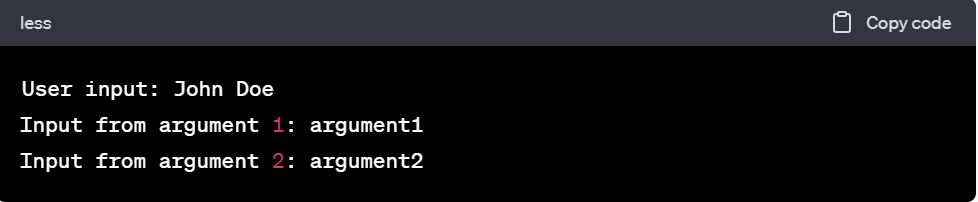
5Q. Write an Example of If else in Shell Scripting by comparing 2 numbers
touch sample.sh
chmod +x sample.sh
vi sample.sh
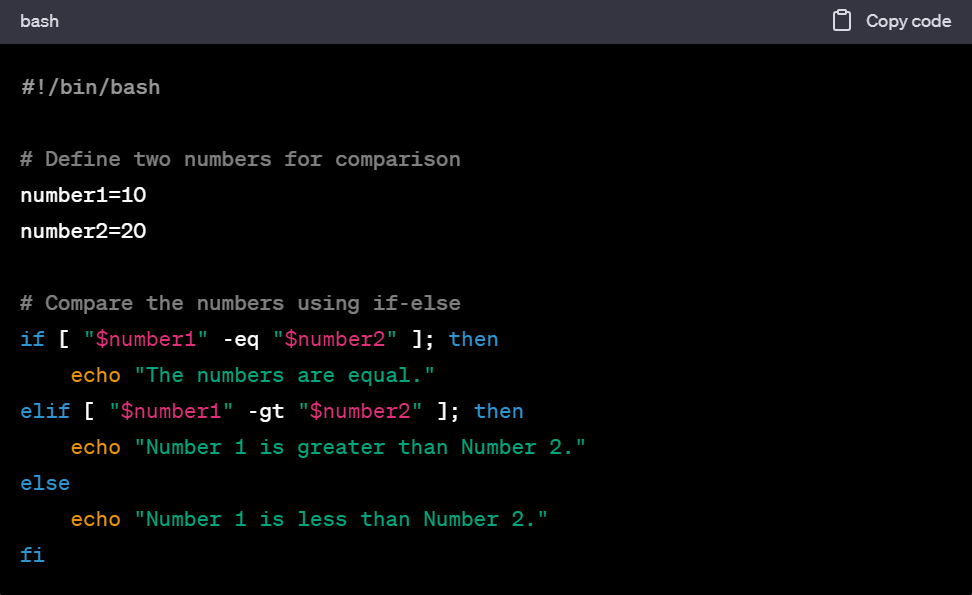
./sample.sh
Output: Nubmer 1 is less than Number 2.


