Basic Git and GitHub for DevOps Engineers

What is Git?
Git is a DevOps tool used for source code management. It is a free and open-source distributed version control system designed to handle everything from small to very large projects with speed and efficiency. Git is used to track changes in the source code, enabling multiple developers to work together on non-linear development.
Git is developed in 2005 by Linus Torvalds, the famous creator of the Linux operating system kernel.
In addition to being distributed, Git has been designed with performance, security and flexibility in mind.
Git is easy to learn and has a tiny footprint with lightning-fast performance. It outclasses SCM tools like Subversion, CVS, Perforce, and ClearCase with features like cheap local branching, convenient staging areas, and multiple workflows.
What is GitHub?
GitHub GitHub is an online software development platform. It is a web-based interface that uses Git. It's used for storing, tracking, and collaborating on software projects. It makes it easy for developers to share code files and collaborate with fellow developers on open-source projects.
What is Version Control ? How many types of version controls do we have?
Version control is a system that tracks changes to a file or set of files over time so that you can recall specific versions later. It allows you to revert files back to a previous state, revert the entire project back to a previous state, compare changes over time, see who last modified something that might be causing a problem, who introduced an issue and when, and more.
There are two main types of version control systems: centralized version control systems and distributed version control systems.
A centralized version control system (CVCS) uses a central server to store all the versions of a project's files. Developers "check out" files from the central server, make changes, and then "check in" the updated files. Examples of CVCS include Subversion and Perforce.
A distributed version control system (DVCS) allows developers to "clone" an entire repository, including the entire version history of the project. This means that they have a complete local copy of the repository, including all branches and past versions. Developers can work independently and then later merge their changes back into the main repository. Examples of DVCS include Git, Mercurial, and Darcs.
Why we use distributed version control over centralized version control?
Better collaboration: In a DVCS, every developer has a full copy of the repository, including the entire history of all changes. This makes it easier for developers to work together, as they don't have to constantly communicate with a central server to commit their changes or to see the changes made by others.
Improved speed: Because developers have a local copy of the repository, they can commit their changes and perform other version control actions faster, as they don't have to communicate with a central server.
Greater flexibility: With a DVCS, developers can work offline and commit their changes later when they do have an internet connection. They can also choose to share their changes with only a subset of the team, rather than pushing all of their changes to a central server.
Enhanced security: In a DVCS, the repository history is stored on multiple servers and computers, which makes it more resistant to data loss. If the central server in a CVCS goes down or the repository becomes corrupted, it can be difficult to recover the lost data.
Overall, the decentralized nature of a DVCS allows for greater collaboration, flexibility, and security, making it a popular choice for many teams.
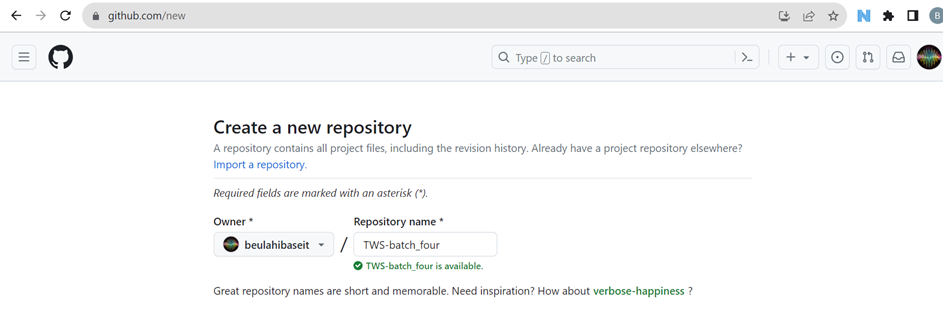
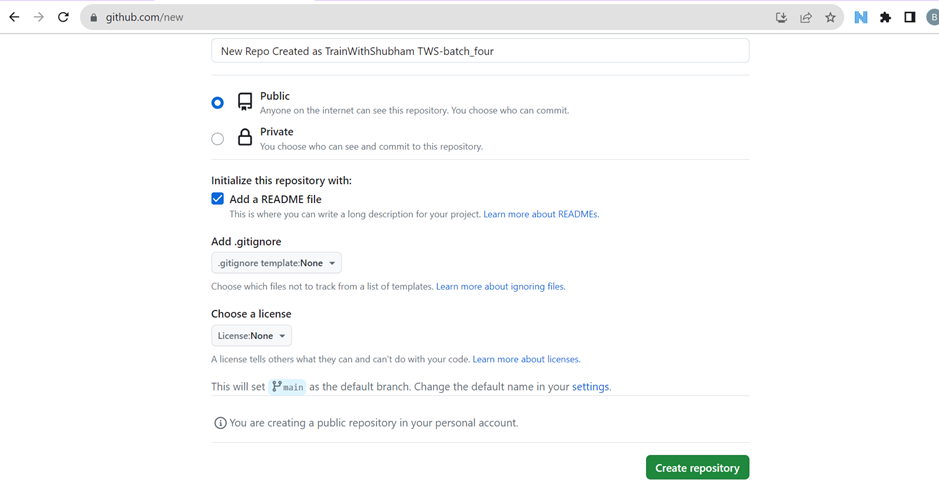
Create a new repository on GitHub and clone it to your local machine
Create a new repository in GitHub
Clone the repo from GitHub to your local



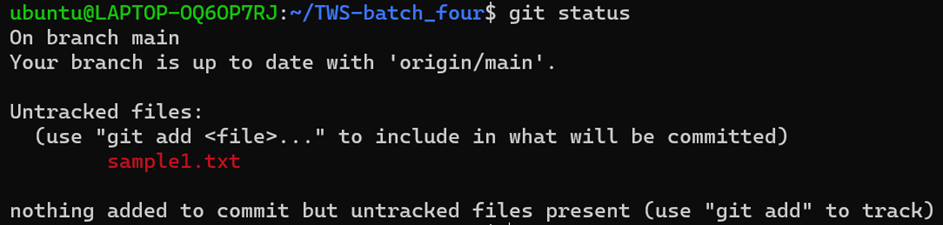
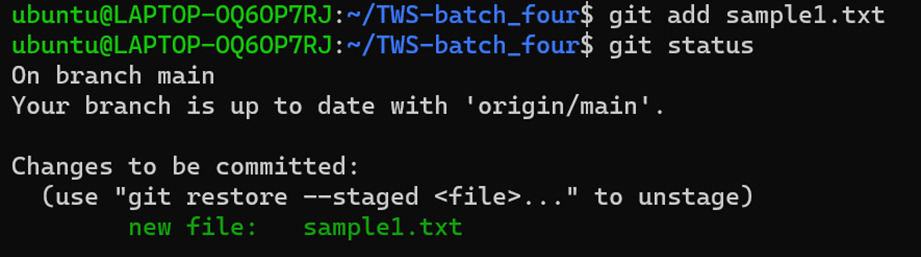

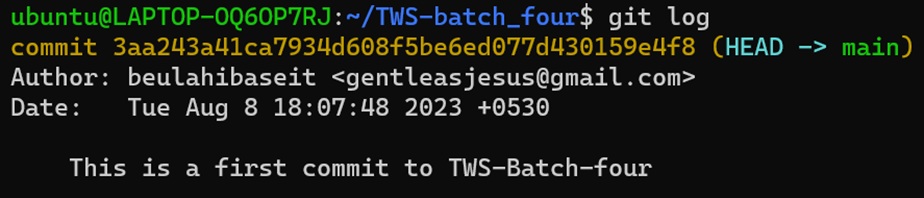
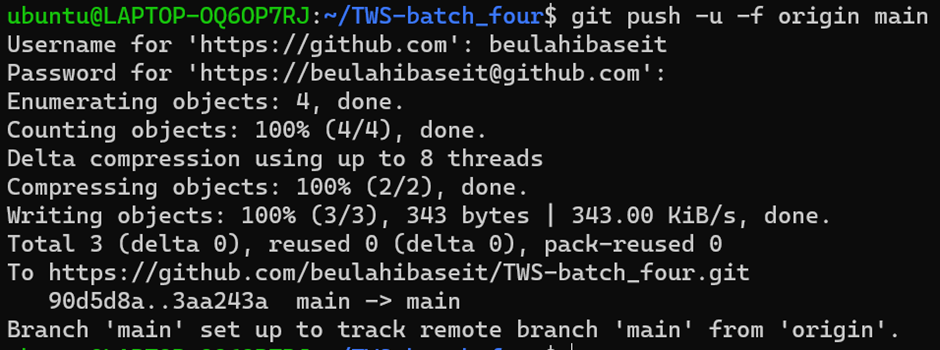
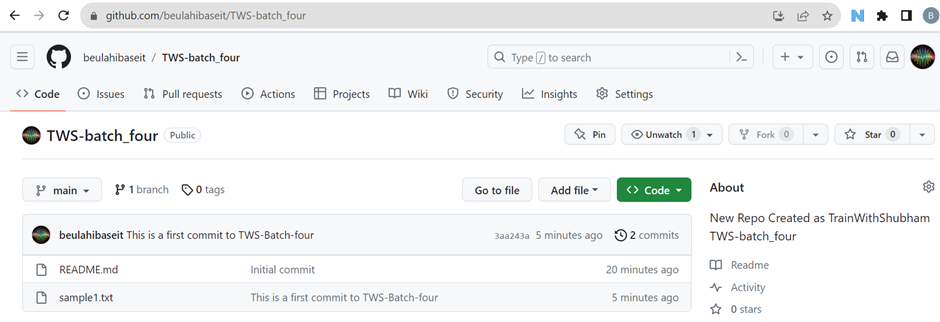
Make some changes to a file in the repository and commit them to the repository using Git
(vi sample1.txt) file as follows:

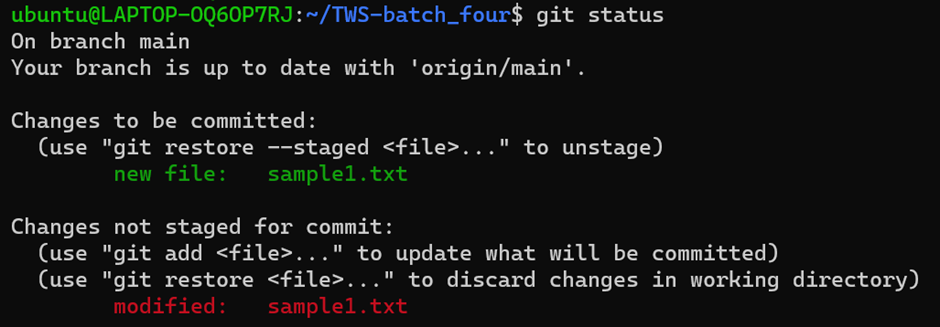
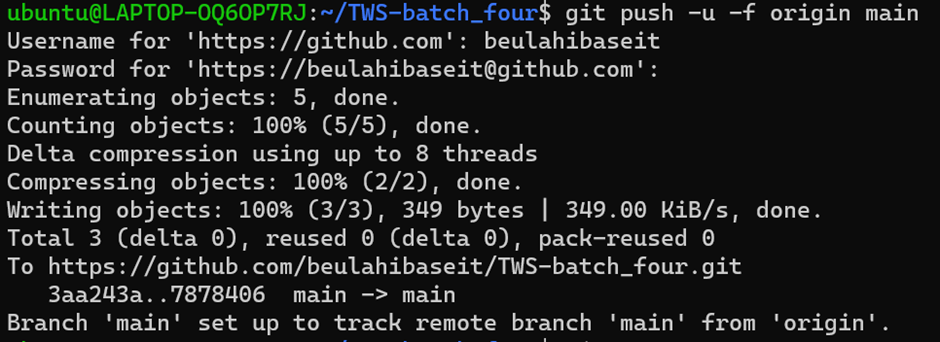

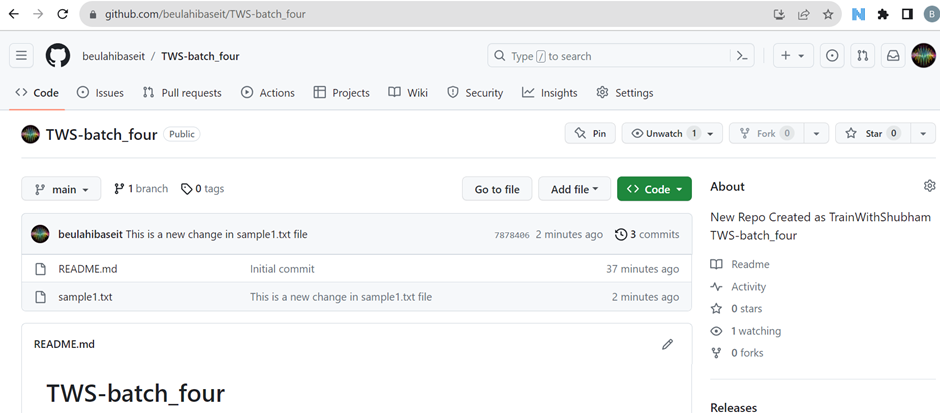
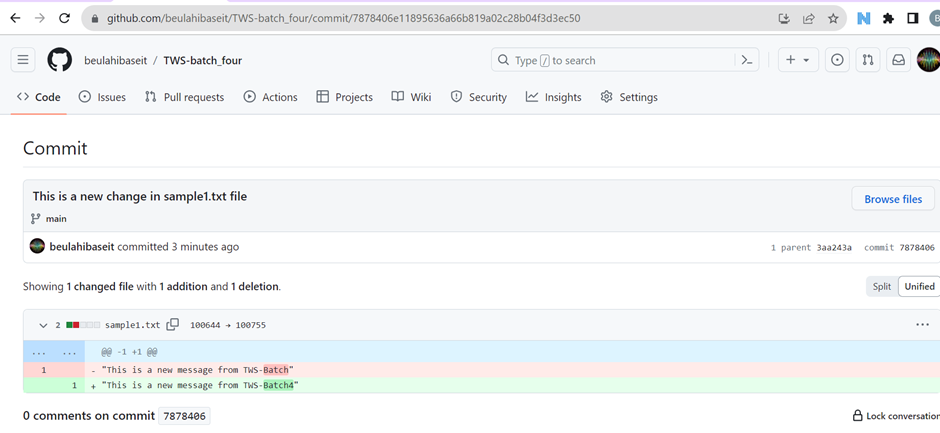
Can see the new changes added to the repository in the GitHub
Thank you for your valuable time!